Strengths
- Strong automation capabilities
- Low-friction data collection
- Clear visibility into engagement activity
- Fast onboarding experience
Product Design Case Study · Enterprise SaaS
Designing an automated relationship mapping experience for enterprise sales teams - turning a static diagram into a living strategic intelligence system.
Enterprise sales teams struggle to maintain accurate relationship maps. In complex B2B environments, sellers need to understand who influences decisions, political alignment, buyer roles, champions and blockers, relationship strength, missing stakeholders and executive coverage.
The previous experience was very clicky. A single relationship map could end up with 200+ contacts, and before this project every one of them had to be added and connected by hand. Maps were built manually, became outdated quickly, hid missing influencers, became visually overwhelming on large accounts and rarely surfaced relationship risks to leadership.
Design an automated relationship mapping experience that reduces manual work, identifies stakeholders, detects relationship gaps, surfaces political risks and supports strategic account planning - while keeping users in control of the final map. The long-term vision: turn relationship mapping from a static diagram into a living strategic intelligence system.
Focused on how enterprise revenue platforms approached relationship intelligence, stakeholder discovery, AI-driven account insights, CRM enrichment and strategic account visibility.
People AI demonstrated strong relationship intelligence capabilities through automated contact capture, relationship scoring, communication tracking, CRM enrichment and stakeholder visibility.
Understanding how sellers currently build and maintain relationship maps.
Most sellers updated relationship maps only during deal reviews, strategic planning sessions, leadership escalations and quarterly business reviews. After creation, maps quickly became outdated.
Users relied heavily on memory, meeting notes, email conversations, CRM comments and internal discussions - increasing the risk of missing key decision-makers.
Users managing strategic accounts reported visual overload, relationship confusion, difficulty understanding hierarchy and challenges identifying influence paths - highlighting the need for scalable visualisation patterns.
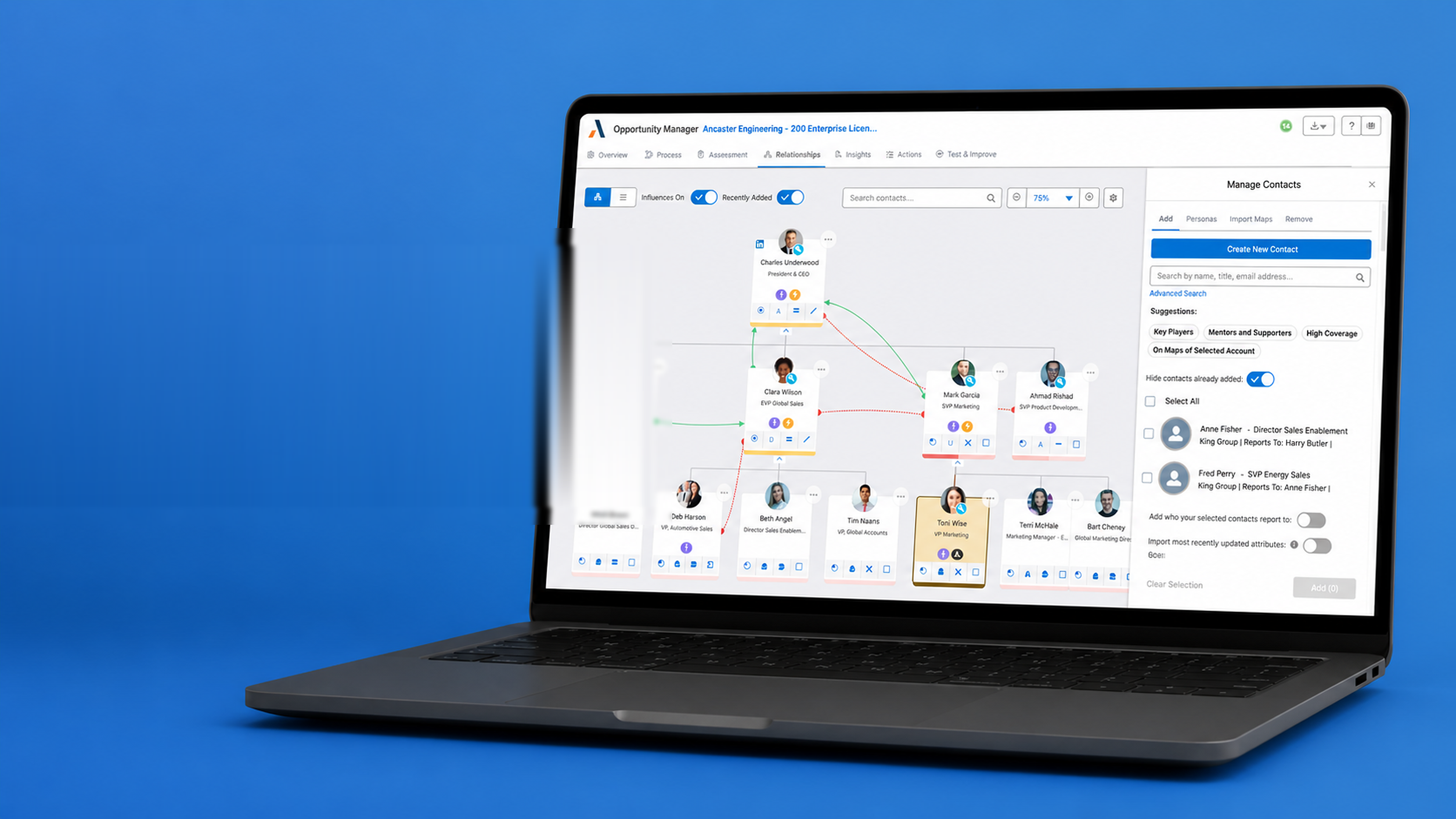
The flow was reorganised around a single root - Manage Contacts - branching into four parallel paths so sellers could add, organise, import or remove stakeholders without losing context.
The low-fidelity phase helped validate interaction patterns before moving into visual design or development.
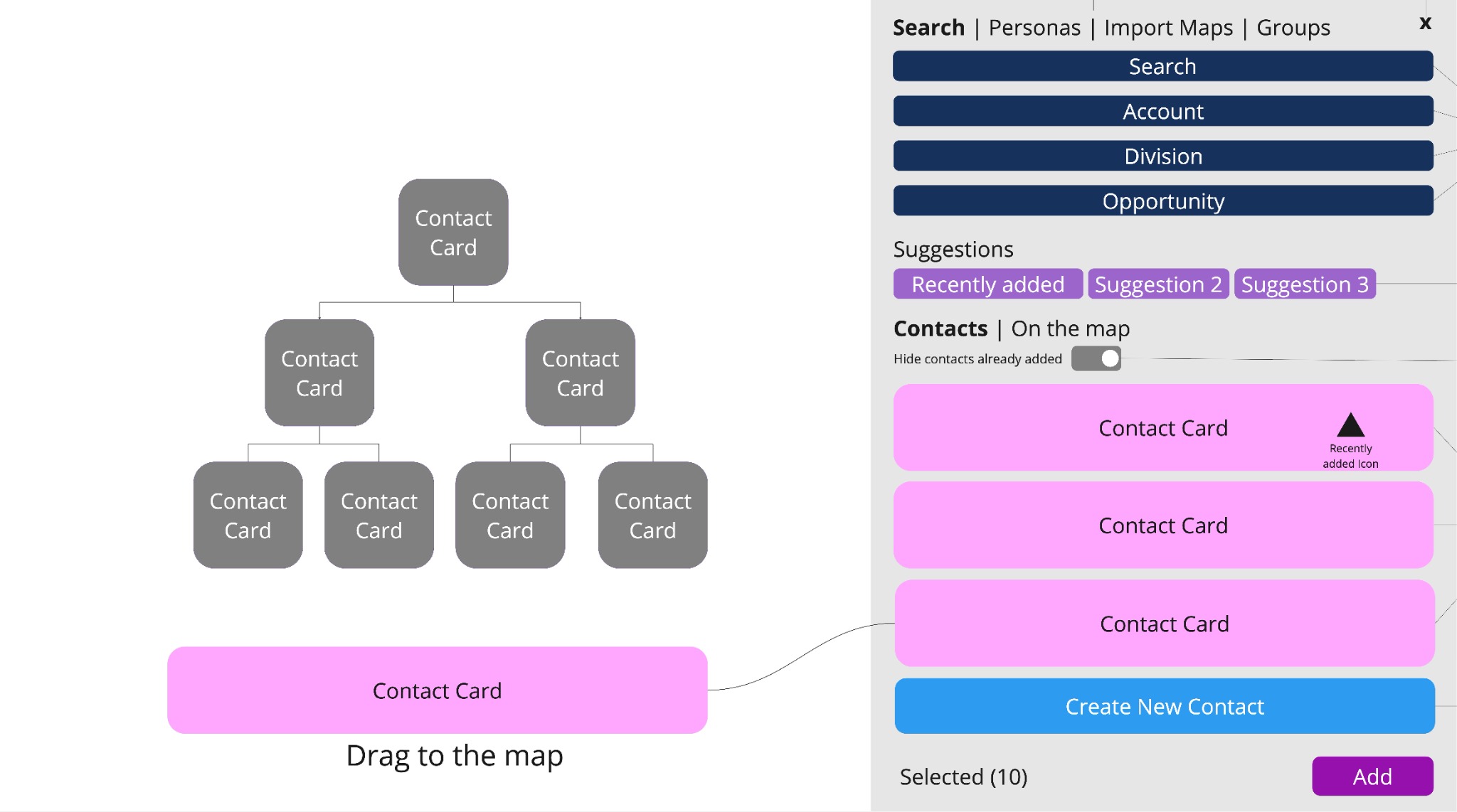
Contacts could be dragged and dropped from the panel directly onto the map.
Multiple contacts could be selected at once to speed up adding them to - or removing them from - the map in a single action.
A toggle to import a contact's attributes alongside the contact itself.
A toggle to automatically import who each contact reports to.
Contacts could be reused by importing them from other related relationship maps.
Contacts recently added to the map were highlighted so users could quickly spot what just changed.
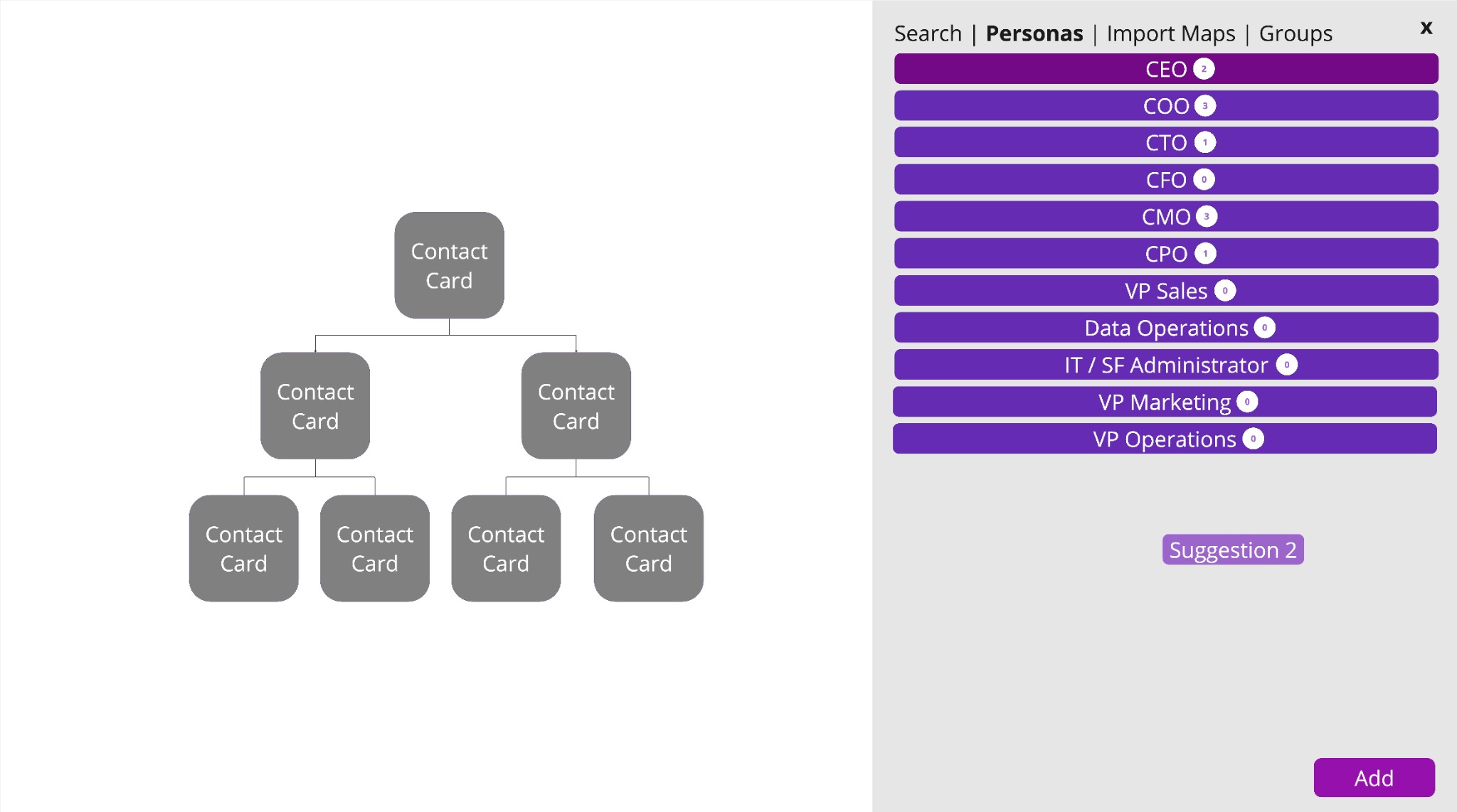
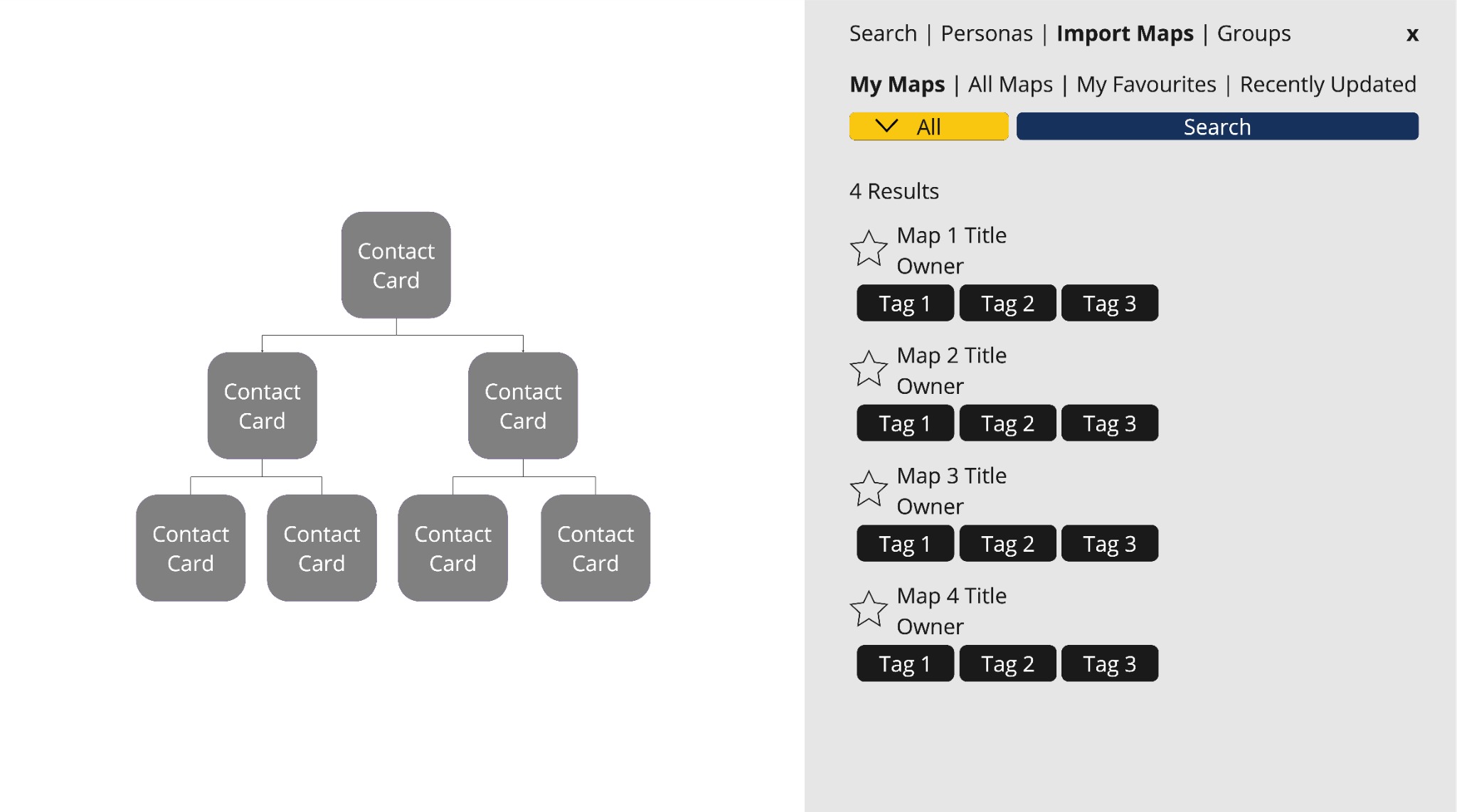
Balancing strategic depth, scalability, clarity, trust and AI transparency.
Users could generate relationship maps from:
The UI surfaced:
The final experience emphasised:
To improve trust, the designs included:
The experience positioned AI as a strategic assistant instead of a fully autonomous system.
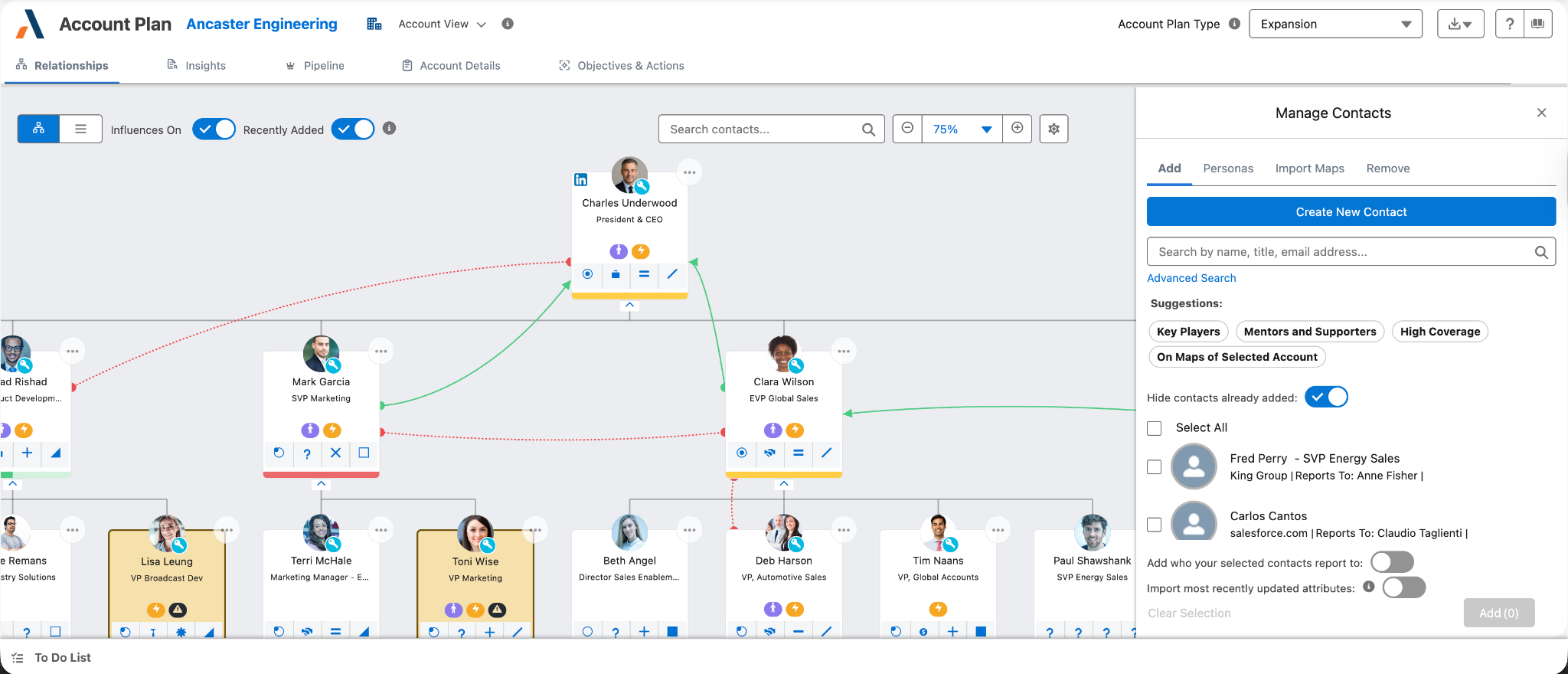
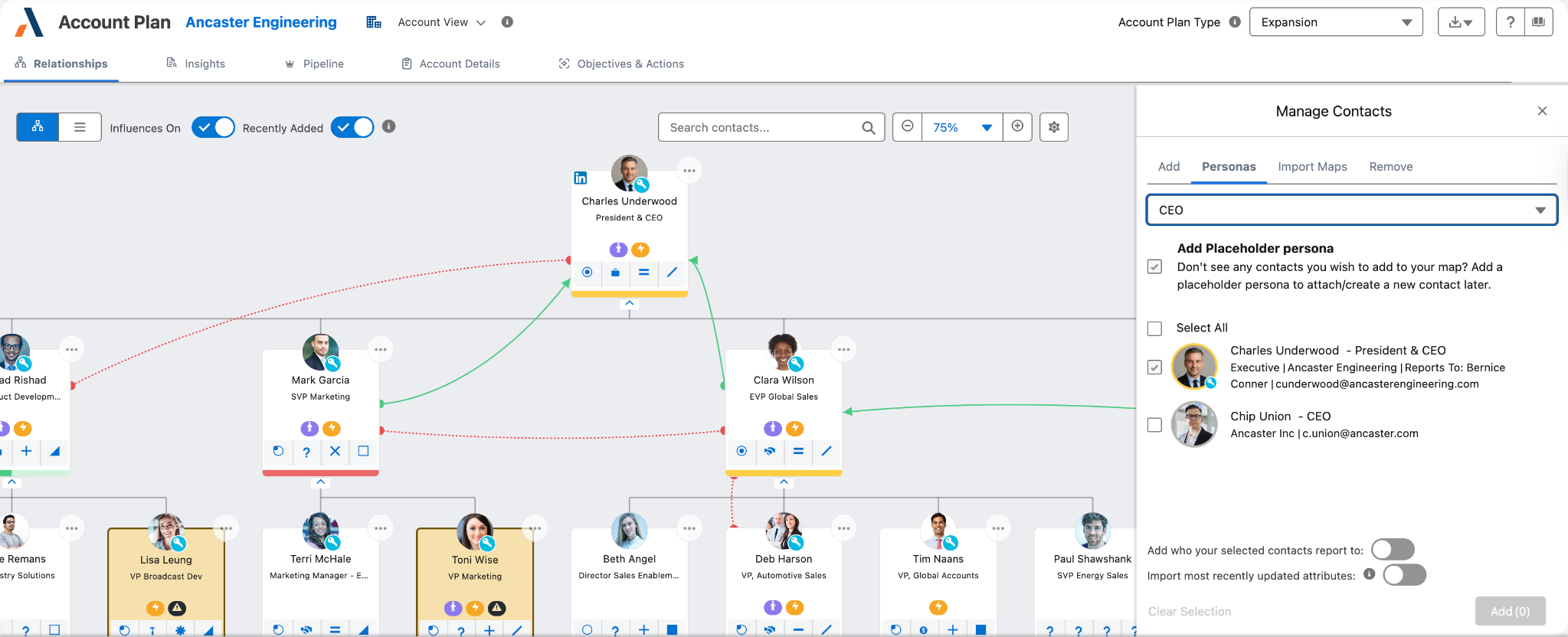
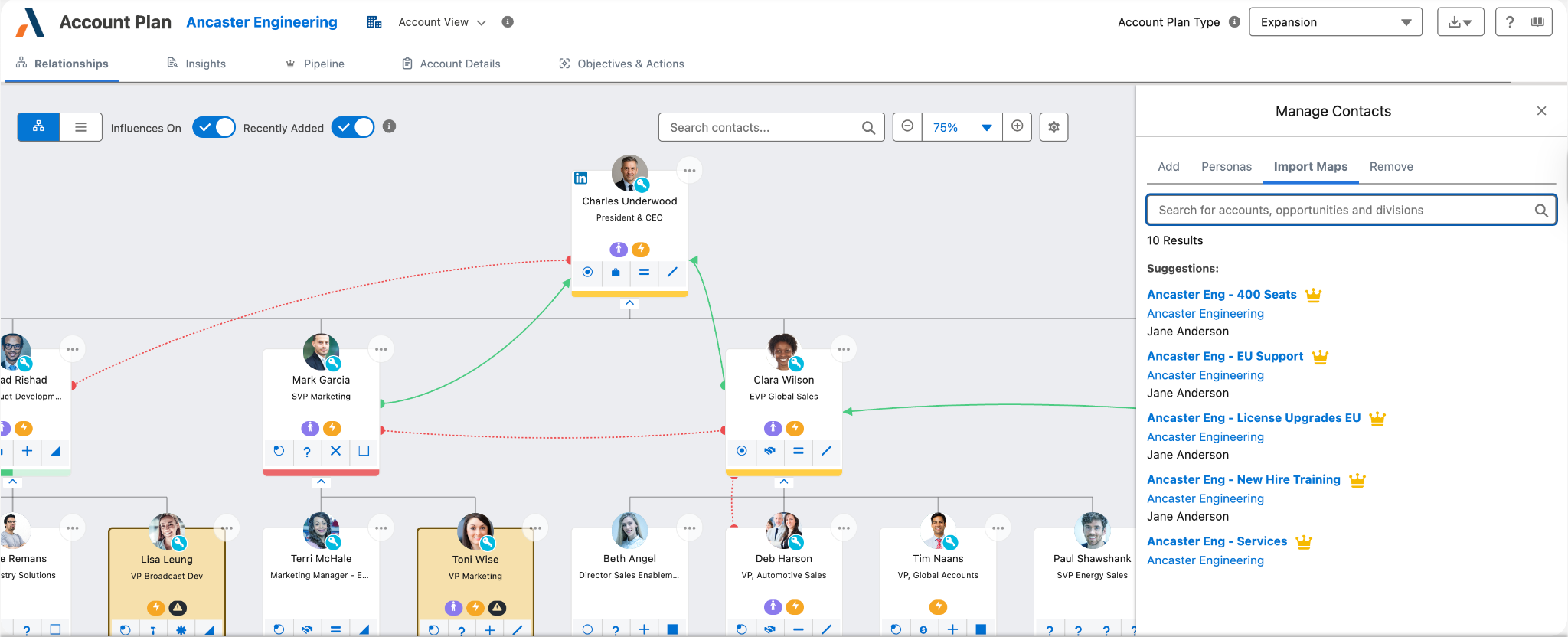
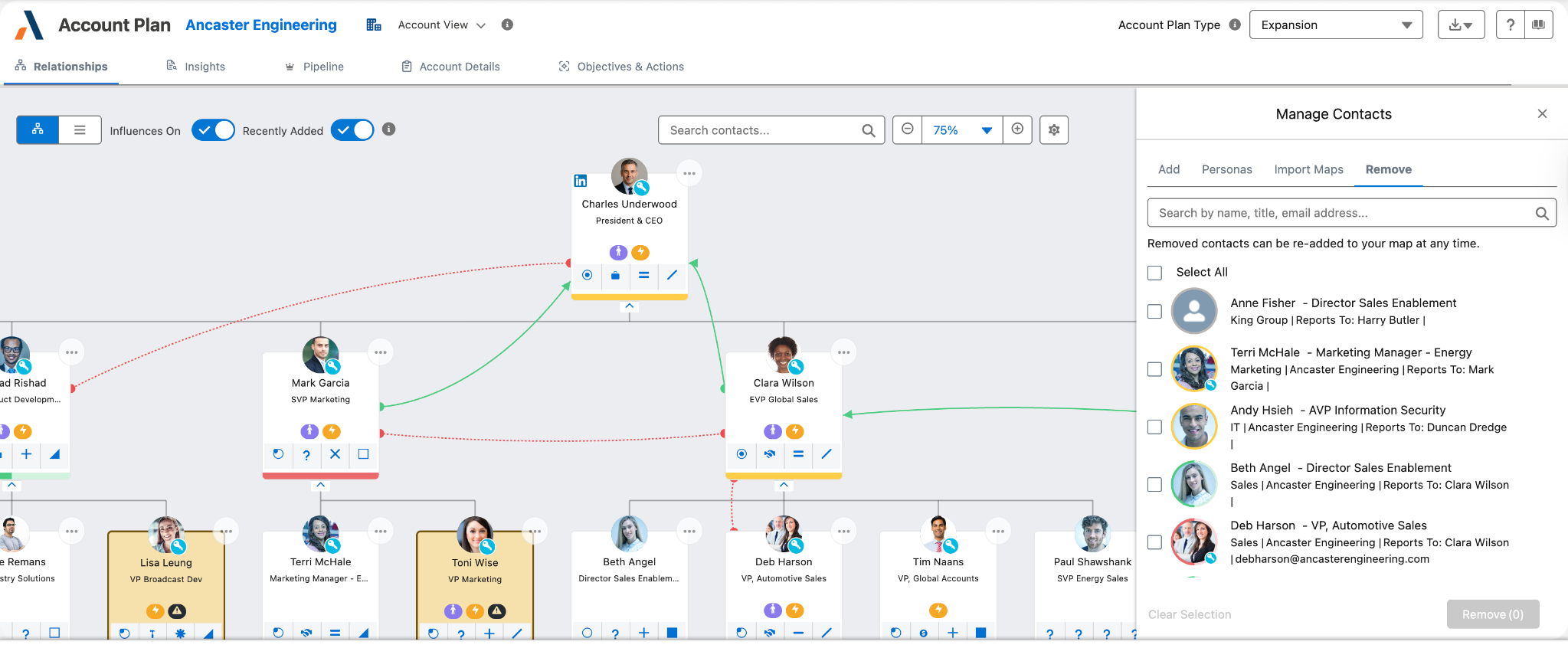
Validating usability, trust, scalability and strategic clarity.
These findings directly informed future roadmap discussions - the test was very successful with both internal and external stakeholders.
They suggested the map centring itself once a new contact is added so users can see that their work has been done, and also adding a toast to double-confirm it.
This project transformed relationship mapping from a static manual workflow into an automated strategic intelligence experience.
This case study became an important step toward a broader vision: Automated revenue execution inside Altify.